Sports schedule to calendar
Snap to Calendar turns a sports schedule into calendar events on iPhone: photograph or screenshot the season, review each game and practice, and save only the events you approve.
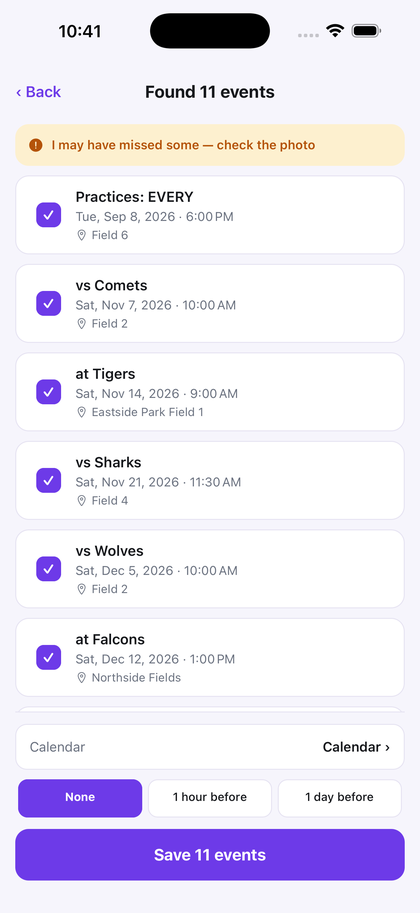
Point the camera at the printed schedule, or choose the screenshot someone sent. Games, practices, and a time still marked TBD show up as candidates. A date with no printed time stays an all-day event. If the app is not confident it captured the page, it says so before you save.
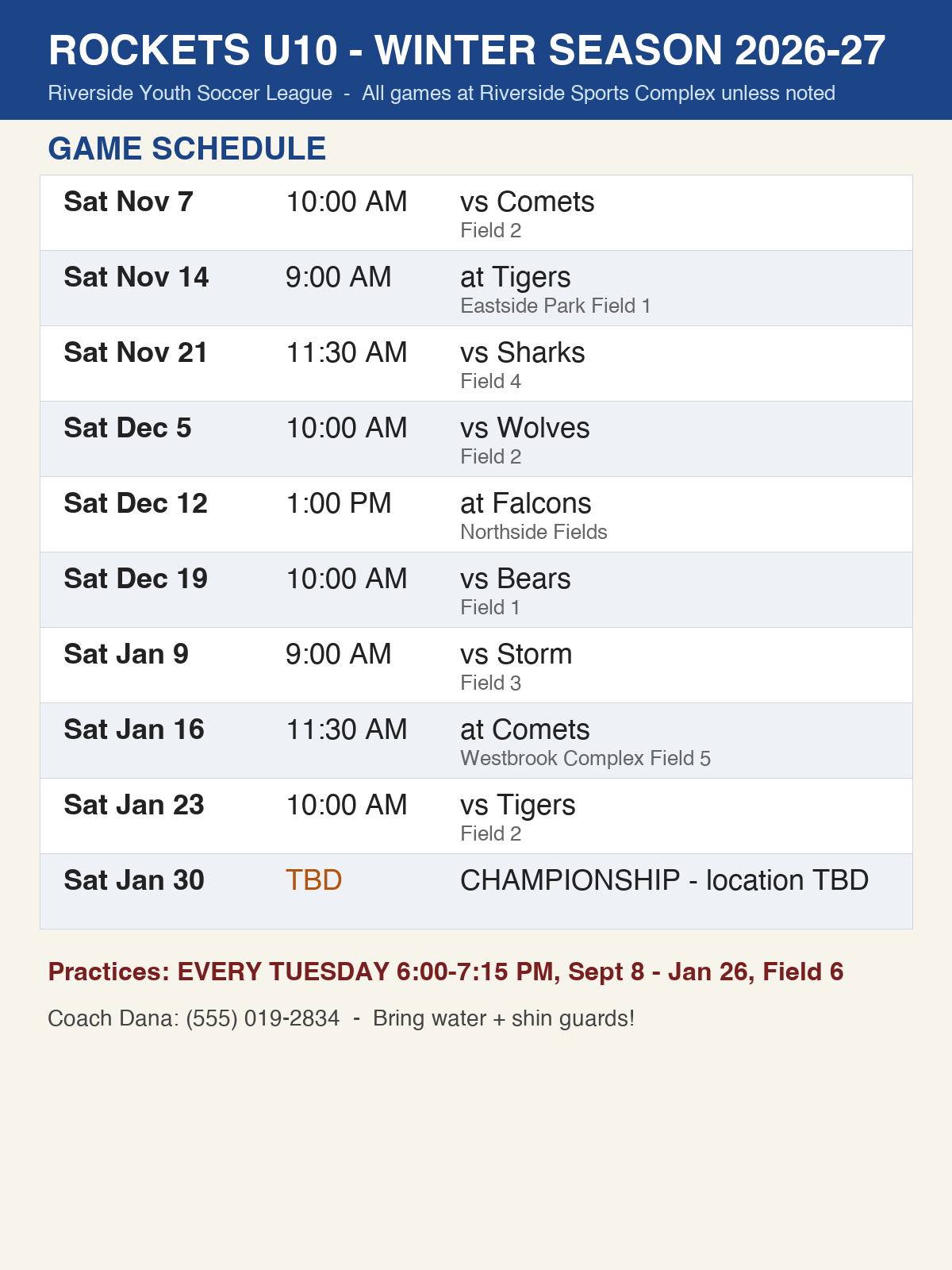
If the team already gives you a live calendar link, use that, because it can change when a game moves. Use Snap when what you received is paper, a PDF, a screenshot, or a group-chat image. The same review works for a flyer, a screenshot, or a school sheet.
The first 3 successful scans are free, with no deadline. Pro is $4.99 a month or $29.99 a year. The price shown in the app at purchase governs.
Questions
How do I add a sports schedule to my calendar?
Photograph or screenshot the schedule and open it in Snap to Calendar. Review the candidate games and practices, then save the approved events to Apple Calendar.
Can one photo cover a whole team schedule?
Yes. Snap to Calendar can read multiple dated rows from one image, including games and repeating practices, and show them together before you save.
What if the team already has a calendar feed?
Use the team's live calendar link when you have one, because it can update after a change. Snap to Calendar is for a schedule that arrived as paper, a PDF, a screenshot, or a chat image.
Review the season, then save only the events you approve.
Download on the App Store